Friday, September 21, 2012

Implement a Time Clock System Effectively


Implementing a time clock system for your company involves a bit of thought. Depending how many employees you have, how large your facility is, and what level of security you need, you will want to invest in a time clock system that is just right. There are currently so many different systems on the market you might be confused by the selection. Keep in mind that a simple time clock can meet most of your needs if you use it correctly. Larger, more elaborate systems typically involve computer software that monitors hours worked, employees names, and dozens of other parameters.

Be sure to put the time clock in a place where every worker will see it. This is crucial. If you put the device in an out-of-the-way location, you risk losing valuable data, as some workers will not see the clock and will begin work without logging in.

It is wise to put a large, company bulletin board near the time clock in order to make it a gathering place for your personnel. When the clock is in an open location, which gets a lot of traffic, there is less chance for fraudulent behavior.

Perhaps the most vital aspect of time clock management is making sure that every employee knows how to operate the device. Most companies hold training sessions when a new clock system is purchased. After that, try to make time clock training a standard part of each new hire’s orientation.

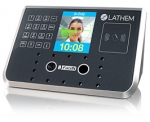
Some of the newer, biometric time systems are quite expensive, but are perfect for organizations that need high security. A biometric time clock uses fingerprints, iris scans, or other physical characteristics to track employee access to the building and to log the proper number of hours worked. Usually, the more expensive the time clock, the less chance there is for fraud.


Wednesday, September 12, 2012

How to Cut Costs and Be Efficient


As a business owner, you are probably constantly looking for ways to increase profits and increase business. At one point in time, you have most likely thought of cutting expenses to help boost profitability. Technically, it doesn’t matter if you’re having the best quarter in history because when it comes down to it, costs that are out-of-control will quickly eat up any profits that you gain.

Avoid going under by keeping a close eye on your expenses (you can use a business accounting tool). While cutting expenses can help greatly, be smart about what you cut. You don’t want to sacrifice efficiency for cost.

Here are some tips to being cost effective when making budget cuts:
  • Try out a new telecom system. This can range from Internet to landlines to wireless providers.
  • Enforce the “no splurge” business travel rule. This technically means that your staff cannot spend whatever they want when they travel. Make them accountable for what they spend.
  •  Move your IT network to the “Cloud”. Whenever you have the chance to move digital files and other software off your computer to another place- do it.
  • Cut back on overtime. Switching from a time clock that uses paper to a computerized time clock is a great move. It saves you money on multiple fronts.
  • Earning vendor discounts using credit is smart. Early payment discounts offer by a selection of vendors can save you thousands of dollars a year.

Cutting your expenses should only mean one thing: you gain more profit. By viewing these areas, you will hopefully be able to maximize your profits without losing efficiency.


Thursday, September 6, 2012

Time Clocks for Business Efficiency

A traditional timesheet allows a company’s employees to record exactly when they start and end work. For a number of employees, this will amount to starting their work at the beginning of their shift and punching out whenever it ends. For the others, this could involve keeping a detailed list of start and stop times for their various projects, activities or jobs during the day. No matter what your business may need, time clock software will allow your employees the ability to record information more easily, objectively and actively.

Time clock software will help lower any operating costs that your business may have by making your payroll processing become more efficient along with making labor costs a lot more visible than they were in the past. It will also ensure attendance compliance and helps automate any invoicing or billing of your clients. Here are a few reasons how time clock software will help your business in today’s rough economy.

It simplifies your payroll

Time clock software will take every punch that your employees have accrued within a certain amount of time and it will generate timecards based on whatever your payroll is set on. Your regular hours, paid leave and overtime are all calculated for you and totaled instantly so you don’t have to do the math yourself.

It ensures compliance

A time clock is going to allow you to fully manage your attendance and employee time, even when it comes to lunch breaks or sick leave. With certain units, employees cannot punch in or out for each other, ensuring that the hours recorded are honest.

It manages the labor costs for you

Whenever you do payroll, your time clock software will figure in everything for you when it calculates the weekly attendance. Whenever you input your employees into the system, you will be asked to put all pertinent information into the software. This will allow the software to figure up everything for you. All you have to do is print out everything and take it to payroll, or even export to payroll software directly.

It automates client billing

Remember that client billing should be summarized by the job or the client so it can be accurately billed. A time clock can help with this process, lowering error by inaccurate recording as well as providing an efficient way to track multiple projects.

Friday, August 24, 2012

Keeping Telecommuters on Track


Almost 30 million American workers can do part of their work from their home or remote locations, according to a recent survey performed by the people at International Telework Association. With 1 in 5 workers telecommuting, getting everyone to punch in on the time clock, together for a meeting, or to check-in can be difficut. Fortunately, the employee time clock is one way that you can keep track of telecommuters.

Managing telecommuting technology is tough, but managing the workers can be even tougher. Telework has a habit of amplifying organizational weaknesses and if the company is already weak in the terms of management, then the policy needs to be updated before the teleworking begins. Teleworking can force a manager to sharpen simple managerial skills, not only to streamline the work force but also to make sure the job gets done when it needs to be.

Here are some ways you can create the best environment for teleworkers, and for your company overall:

Implement a great employee time clock system – A solid web-based, employee time clock will help you keep track of your employees, remotely and in-office.
Identify some tasks that are suitable telecommuting - List positions that aren’t good for telecommuting first, as this will be much easier. Then examine what’s left and decide if telecommuting is viable.
Establish ground rules - Make sure every employee is on the same page. Set rules for telecommuters in terms of what needs to be done.
Be prepared to enforce the rules - If a decision comes up to where you need to make a tough call, make sure you can do it.
Practice effective management - Calling regular meetings is a must. Be sure your telecommuters are aware that just because they are not in the office doesn’t mean they are exempt from team meetings.
Provide effective support - Always support your workers. Just as they reach out to you, reach out to them as well.

Monday, August 13, 2012

Why You Should Automate the Employee Time Clock


Photo Credit: centralfloridastaffing.com
For many, running an office can become a time exhausting affair. Not only is work management a factor, but also human resources and payroll. Many small business owners can find themselves overwhelmed quickly when the office grows, particularly when it comes to keeping accurate payroll. There are several new pieces of technology that can help an office run smoothly, however, and that can help lessen the anxiety that can come with managing staff.

One innovation that can help keep the office efficient and functional is an employee time clock. Time clocks not only help keep the workforce on track, but can also record time worked and even time off with more accuracy than hand entry can afford. A time clock is easy to operate and often just as easy to put in. For many business owners, this automated system is just what they need to help their business run efficiently and smoothly.

While there are many types of employee time clocks, biometric and web-based are some of the most popular, and offer numerous benefits. With these units, businesses can:

1.     Minimize Human Errors - These types of tracking systems actually ensure the elimination of errors (at least the human ones) while recording work hours. Studies show that there is a 99% accuracy rate.
2.     Checks and Balances are Infallible - Simply put, with the system’s biometric features the software is impossible to evade.
3.     Productivity and Efficiency - There is an increase across the board in both these areas.
4.     Value Added to the Company - With the addition of the system, you are adding a serious money-saving addition to your business.
5.     Employees are Happier - With fewer errors in recording, your employee will be much happier with you.
6.     Efficient Processing for Payroll - Everyone likes getting paid on time and this system allows you to do just that.

There are numerous advantages to adding a time clock to the office. Be sure to find a unit that works for you and your business, so that you can take advantage of the technology that is out there.

Sunday, July 15, 2012

How Fingerprint Time Clocks Help The Bottom Line


When an employer looks at their bottom line, they almost always see that payroll eats the biggest chunk of the money. It is the biggest expense business owners face. Add to that, whether white or blue collar, employees have long been involved in payroll fraud. Fortunately, the implementation of fingerprint time clocks can help steer away from fraud.

Fingerprint time clocks capture the unique fingerprint of each employee for use when he or she comes to work every day, whether on site or off site. Removing theft of time from the equation may help employers get a handle on payroll costs, as well as curtail time theft.

With this new technology, employees will no longer be able to punch the time card of a co-worker, reducing time theft. A time clock will also eliminate the time consuming task for the human resources department of having to manually calculate payroll. Additionally, there is no storage space needed like there is if you have to store time cards for tax record purposes.

To set an employee up in the fingerprint scanning system, an employer need only have the employee put his or her finger on the scanner and his or her unique fingerprint is scanned. The fingerprint scanners are easy to use and are portable and easily tied into a company’s computer system.

Streamlining the preparation of payroll, as well as taking the idea of employee theft of hours out of the equation of running a business, allows employers and their employees to focus on the job at hand – running the business. Electronic payroll systems integrate well with fingerprint time clock and can help streamline a business to an even finer degree.

Thursday, June 21, 2012

Tips to Help Implement a Time Clock


There’s no doubt that employee time management is a critical component of any workplace’s productivity and efficiency. Employee time clocks can be a valuable resource and vehicle when managing employee’s times and making sure those employees are spending their time wisely.

Time clocks help businesses accurately store and track employee time data. Using this data, management can assess whether or not the company is performing as efficiently as possible and if any productivity issues are present in the workplace.

An employee time clock will not work up to its potential if it is not implemented correctly. All employees, not just management, should be familiar with the time clock system and how it works. Your employees will be the ones, after all, using the time clocks to punch in and out and to track payroll and time data.

After selecting and purchasing a time clock system for your workplace, arrange an orientation session for your employees. Consider asking a representative from the time clock company from which you purchased the product to help you with the session. Take time to make sure that all employees understand the details and capabilities associated with the time clock system and answer all questions. Consider distributing users manuals or cheat sheets that detail how to use the time system.

To correctly implement a time clock system, make sure that system can grow with your business. Limited scalability systems will not accommodate company expansion and growth, so go with a system that can last with your company through such changes.